


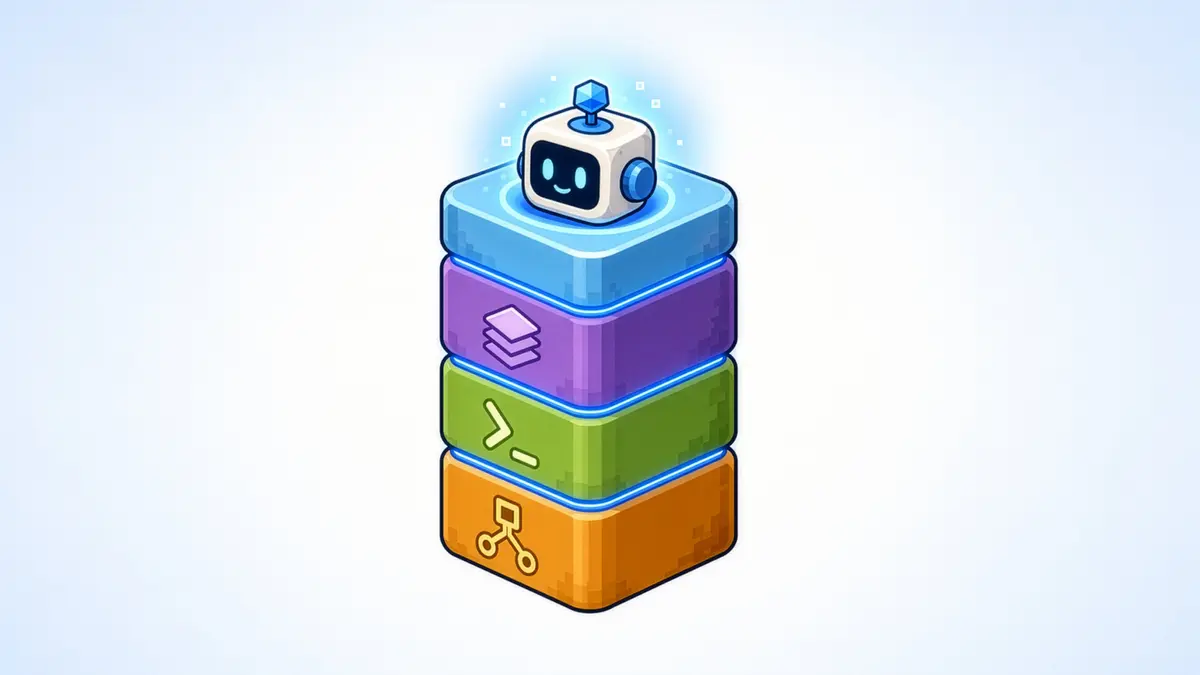
AI coding tools have become good enough that the awkward part has moved. They can write a login integration, generate a matchmaking request, or scaffold a backend service quickly. The harder part starts when that code has to interact with a real backend.
At that point the assistant needs answers that are usually outside the repository. Which API version does this project actually use? What does the request schema look like today? Is the namespace configured for the service the code is calling? Which credentials and permissions apply? What came back when the request ran? If the code is correct but the environment is wrong, a repository-only assistant has no way to know.
That is the gap we have been working on at AccelByte. Over the past year we have shipped MCP servers, a unified AGS CLI, a public AI Plugins package, and an early-access Teammate. They are useful independently, but the more important point is how they fit together: give AI authoritative backend context, give it predictable tools, package common backend work into reusable skills, and then add enough project context for the assistant to help with the game that is actually in front of it.
The Hard Part of Backend AI Lives Outside the Repo
A capable coding agent already sees repo context well. It can trace call sites, inspect types, refactor code, and reason about how a feature is wired. Backend development adds three more layers that matter just as much.
-
Platform context: what AGS actually exposes—the current APIs, schemas, SDK symbols, authentication rules, and supported operations.
-
Environment context: how this game's namespace is configured, which services are enabled, and what resources exist.
-
Runtime context: what happened when the system ran—the response, logs, session state, configuration, or crash data behind the failure.
The farther a task moves from generating code toward integration, debugging, deployment, or operations, the more those layers matter. A plausible answer based on repository context is useful. A plausible answer about production state can be expensive.
Making the Backend Machine-Readable
The least flashy part of this work predates the current AI wave. AGS APIs are defined with machine-readable OpenAPI specifications, and AccelByte already uses those contracts to generate SDK clients through CodeGen. The AGS CLI is also generated from the API specifications instead of maintaining a separate hand-written command map.
That matters because an AI-ready backend does not begin with a chatbot. It begins with boring, dependable contracts: discoverable operations, typed schemas, explicit authentication, stable identifiers, and structured responses. Those properties make an integration easier for a human engineer, and they give an AI system something concrete to reason against.
MCP Closes the Context Gap
The AGS API MCP Server gives an MCP-capable assistant structured access to the AGS API surface and, when the developer authorizes it, the live AGS environment. Instead of relying on whatever AccelByte knowledge happens to be in the model, the assistant can search for the real operation, inspect its request and response schema, check parameters and auth, read namespace configuration, and validate behavior against the backend.
The difference is small in a diagram and large in day-to-day integration work. Ask a generic assistant to update a player statistic and it may produce a convincing endpoint and payload from training data. Give it the AGS API MCP Server and it can first look up the operation that actually exists.
MCP does not make the model smarter, and it does not make bad reasoning impossible. It changes something more practical: how much the model has to invent before it can do useful work.
Why There Are Two MCP Servers
The AGS API surface is only one half of backend development. Studios also write game-specific server logic: event handlers, service overrides, custom APIs, progression rules, external integrations, and other behavior that should not be a fixed feature of the platform.
That is what AccelByte Extend is for, and it creates a different context problem. The question is no longer only 'which AGS operation exists?' It becomes 'what does the Extend SDK I am coding against actually look like?'
The Extend SDK MCP Server exposes the real functions, models, types, and symbols for the supported Go, C#, Java, and Python SDKs.
The two servers therefore complement each other. The AGS API MCP Server grounds the assistant in the platform and environment. The Extend SDK MCP Server grounds it in the interfaces used to build game-specific backend code.
What that Changes in a Real Development Workflow
We published an end-to-end Extend example because this is easier to understand as a job than as a protocol. The task was to award bonus XP from a game event. The assistant used AGS API context to find the relevant statistics operation, used Extend SDK context to build the event handler with the correct types and imports, then created and deployed the app and verified the result against a test user in AGS.
The run completed in under 30 minutes. We treat that as one documented workflow, not a universal productivity benchmark. The interesting part is the shape of the work: less time bouncing between documentation, API reference, SDK reference, editor, portal, and test environment just to assemble enough context to move.
CLI Gives Agents a Predictable Way to Operate AGS
MCP can expose tools and the AGS API MCP Server can make authorized API calls, so the distinction is not as simple as 'MCP can only read and the CLI can write.' The reason the AGS CLI matters is that it gives developers, CI jobs, scripts, and AI agents the same explicit command surface for backend operations.
The command tree is generated from AGS's OpenAPI specifications. For an agent, the useful details are the controls around execution: ags describe exposes a command's schema as machine-readable JSON; --dry-run shows the request before it is sent; --skeleton creates request-body scaffolding; and --format json, --no-input, and explicit authentication make the same commands usable in automation.
A sensible agent flow is therefore inspect, preview, execute. The model can still reason about what the developer wants, but the call it eventually makes is explicit enough to inspect, log, reproduce, and run outside the model as well.
AI Plugin Turns Tools into Developer Workflows
Context and commands are still primitives. A developer usually does not want to think in primitives. They want to add login, debug a timeout, deploy an Extend service, check an SDK upgrade, or find out why an integration is unhealthy.
The public AccelByte AI Plugins repository is the layer that packages those jobs for the AI hosts developers already use. It contains AGS and Extend skills, Teammate, and MCP integrations, and can be installed into environments such as Claude Code, Codex, Cursor, Kiro, and OpenCode. The repository has also expanded with Unity- and Unreal-specific MCP tooling, which follows the same idea: give the assistant the actual integration surface instead of asking it to approximate one.
The key design choice is to keep the AI-facing layer thin. A skill can interpret what the developer is asking for and choose the relevant tools. The backend operations underneath should remain explicit and inspectable. For larger multi-step state changes, we are also developing a deterministic workflow layer so the model does not have to improvise a mutation sequence from scratch every time.
Real Studio Workflow: Ten Trillion Triangles
The clearest external example is Ten Trillion Triangles. The studio is building Autogenesis, a competitive strategy game with open-ended player actions. Its general development agent is Hermes Agent from Nous Research, extended with Ten Trillion Triangles' own skills, scripts, game controller, and testing systems.
AccelByte is not the studio's coding agent. The division of responsibility is more useful than that: Ten Trillion Triangles owns the game-specific agent workflow; AccelByte provides the backend plus the context and execution surfaces that let the workflow interact with it. The team uses AccelByte MCP servers for backend context, the AGS CLI for deterministic backend actions, and the AI plugin for reusable skills.
That lets the agent stay in the loop for work that normally falls back to a human engineer. It can authenticate through the real AccelByte flow, start the game against the same backend services the client uses, drive the game with the studio's own controller, observe logs and the debugger, reproduce a failure, write a regression test, make a change, verify it, and then play again. That is a better dividing line than 'AI coding.' Generating a function is coding assistance. Logging into the real system, exercising it, observing what happened, fixing the issue, and rerunning the scenario is a development workflow. We cover the full story in this deep dive.
The Same Pattern Shows up in Debugging
We have seen the same principle on the AccelByte Development Toolkit (specifically crash reporting) side.
Striking Distance Studios connected the AI workflow its engineers already used to crash context supplied by ADT. Instead of reasoning from a pasted error string, the model could work from symbolicated stack information, build and platform metadata, logs, runtime context, and pre-crash video. The model supplies the reasoning and a proposed fix, which it can stage as a local commit that never leaves the developer's machine on its own, so an engineer reviews it before anything gets pushed.
The studio estimated that some crash investigations that used to take at least two hours could reach a fix recommendation ready for review in around 20 minutes. The point isn't the number anyway. It's that the model got dramatically more useful the moment it stopped reasoning from an isolated error string and started working from the actual context around the failure. Better context beats a better prompt.
We also did a deep dive into the technicals of this particular case if you're curious.
The Next Problem Is Project Awareness
MCP can tell an assistant what AGS exposes. The CLI can give it a predictable way to run an operation. Skills can package common jobs. None of those automatically tells the assistant why this particular team wired authentication this way six months ago, which SDK calls this repository actually uses, or whether the code and the live namespace disagree. That is the gap AccelByte Teammate is intended to close.
Teammate is currently an early-access skill in the AccelByte AI Plugins package. The first persona is built for developers and is deliberately task-oriented. As of today, with the teammate, developers can do:
-
Integration health check: scan an AGS-integrated repository for incomplete integrations, deprecated APIs, unsafe token handling, and call sites with no failure path.
-
SDK upgrade analysis: find the SDK calls the project actually uses and show what a target Unity or Unreal SDK version would change for those call sites.
-
Sizing review: inspect the current configuration of an Extend app or AMS fleet and make a recommendation from the inputs it can substantiate.
-
Project memory: retain design docs, plans, meeting notes, and postmortems so later answers can include decisions that never appear in code.
-
Project-aware Q&A and nudges: answer from the project's accumulated context and surface a small set of relevant checks when they matter.
The important part is not the list. It is the grounding rule behind it. For the integration-health pipeline, a finding has to point back to a source or it is suppressed before the developer sees it. The scan can run code-only with no environment credentials, or config-aware with read-only AGS access so it can catch mismatches between otherwise-correct code and the actual namespace configuration.
Together, It's One Architecture
Step back from the individual releases and they collapse into one architecture.
-
MCP servers give an AI host authoritative backend and SDK context.
-
AGS CLI gives developers, automation, and agents an explicit way to operate the platform.
-
AI Plugins package those primitives around the jobs developers actually ask for.
-
Teammate adds the project-aware layer: what this repository uses, how the environment is configured, and the decisions the team has made around it.
None of those pieces is the strategy on its own. The strategy is to make the backend increasingly legible and operable to AI without making the AI the source of truth.
That also means there should not be one mandatory AI interface for all of this. An IDE is the right place for code changes. A terminal or CI job is better for repeatable operations. An AI host is useful when a developer wants to reason across tools, and project-aware assistance can live closer to the AGS surfaces that already know the namespace, configuration, and operational state. The interface can change without redefining the backend capability underneath it.
Where we take that architecture next is less about adding more prompts and more about widening the part of the development loop AI can participate in with real evidence underneath it. That means understanding what a project actually uses, finding the right API, building custom logic against the real SDK, checking whether code and namespace configuration agree, estimating an SDK upgrade before starting it, investigating failures with runtime context, and retaining the project decisions that explain why the system looks the way it does.
Those are not new AI-shaped jobs. They are jobs backend teams already do, usually by moving between code, docs, portals, terminals, dashboards, and the people who remember why something was configured three milestones ago. The useful role for AI is to shorten that context-assembly loop and help carry evidence from one part of the system to the next—not to hide the system behind a conversational interface.
That is what we mean by an AI-ready game backend. Not a backend an agent quietly owns for you, and not a chat box attached to an admin portal. A backend with contracts an AI can read, tools it can use predictably, project and runtime context it can ground decisions in, and boundaries that keep the engineer in control when the work starts changing real systems.
FAQ
A backend whose APIs, schemas, authentication, configuration, and operational tools are structured enough for AI systems to use accurately. In AccelByte's case that includes machine-readable API contracts, MCP-based context, a predictable CLI, reusable AI skills, and project-aware checks through Teammate.
They do different jobs. MCP is the context layer: it lets an assistant discover endpoints, read real schemas, and understand the API so it can generate correct code. The CLI is the execution layer: it runs those operations deterministically from a terminal, a CI job, or an agent. MCP helps the model work out what to do; the CLI is how it gets done reliably. Most real workflows use both.
No. The current early-access developer persona is intentionally constrained. It is primarily designed to inspect, analyze, remember, and recommend. Its environment-aware checks are read-only, and the engineering decision remains with the developer.
Featured Blog Posts
Featured Customer Stories

Bring your first player online today.
Get started for free, and scale as your game grows.