

Ship
Deliver the intended build to the right testers, then update only what changed.
Build Distribution
AccelByte Development Toolkit helps development and QA teams get the right game build to testers, collect useful bug reports, and understand crashes without chasing missing details.
Trusted by game teams building at every scale
 2K
2K Krafton
 SNK
SNK Skybound Entertainment
 Starbreeze Entertainment
 Telltale Games
 Volition
 Tripwire Interactive
 Firewalk Studios
 1047 Games
 Bad Robot Games
 Dreamhaven
 Striking Distance Studios
 Build a Rocket Boy
 Moonshot Games
 Secret Door
 Theorycraft Games
 Shrapnel
 Neon Koi
 Stray Bombay
 Elodie Games
 UNSEEN
 AEXLAB
 Invisible Walls
 FuzzyBot
 Nerial
 Coreborn
 Genun Games
 GenPop
 StatusPro
 Raid Base
Move from a new build to useful feedback and a clearer fix, without losing important details along the way.
Deliver the intended build to the right testers, then update only what changed.
Build DistributionSee what happened before a crash, along with the logs and details your team needs to investigate it.
Crash ReportingRun playtests on the right build and keep every bug report tied to the session that produced it.
PlaytestingBuild Distribution
Upload a build, choose who should receive it, and let ADT handle the download and launch. When the build changes, testers only download the new files.

 BuildsByteWars v.1.24
 91%Deploying changes…
 64%Deploying changes…
Only the changed bytes move. Testers get it instantly, pay less for every build.
Make it clear which build each test group should use.
Give testers a build that is ready to download, install, and run.
 Crash ReportAccelRacing v.2.1-RC2Windows
Crash replay
Symbolicated stack
Crash Reporting
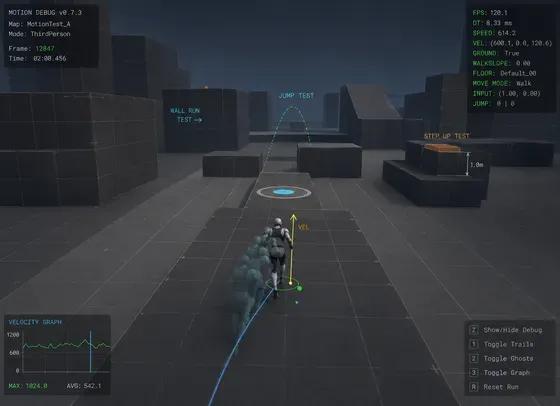
Captures the 10 seconds of play before a crash and keeps them with the call stack, logs, build, and session details. Your team can start investigating right away.
Watch the moments leading up to a crash beside the details your developers need.
View related crashes together and spot when an old problem returns in a new build.
Log a bug with all the information needed to investigate it.
Playtesting
Schedule the session, invite testers, and give everyone the right build. When someone reports a problem, ADT keeps the screenshot, video, logs, build, and session details together.
 Playtest
ByteWars
Open Beta PlayTest
Jun 01, 2026 - Jul 01, 2026
Keep the schedule, participants, and tester readiness in one place.
Make sure every tester starts the session on the intended version.
See which build and playtest session produced each report.
AI Assistant
ADT gives AI the replay, logs, call stack, build details, and past crash reports. It suggests what likely went wrong and what to check next. A developer reviews every proposed change.
Ask questions about a crash and get insightful answers. Review the likely cause, the supporting details, and the suggested next step inside.
Connect the AI tools you already use to access crash details from ADT. Your developers stay in control of every suggested code change.

ADT keeps the build, playtest, crash report, and follow-up work together, so your team can focus on finding and fixing the problem.
Before
Using ADT
Two published examples of teams using ADT in their development and debugging workflows.
Theorycraft used ADT while collaborating with players during development, connecting build access and feedback around active testing.
Striking Distance connected ADT crash context to its AI workflow through the MCP server to help developers investigate issues closer to the code.
ADT charges for two things: seats for the people who automate builds or administer the project, and the data those builds move. Basic seats are free and unlimited, and the first 100 GB of transfer a month and 1 TB of storage cost nothing.
Users
$0unlimited basic seats
Data Transfer
100 GBfree transfer every month
Additional transferfrom $0.102 / GB
Data Storage
Free
1 TBfree storage every month
Additional storagefrom $0.0090 / GB

Choose a build your team already plans to test. Run it through ADT, compare it with the way you work today, and decide from the result.