


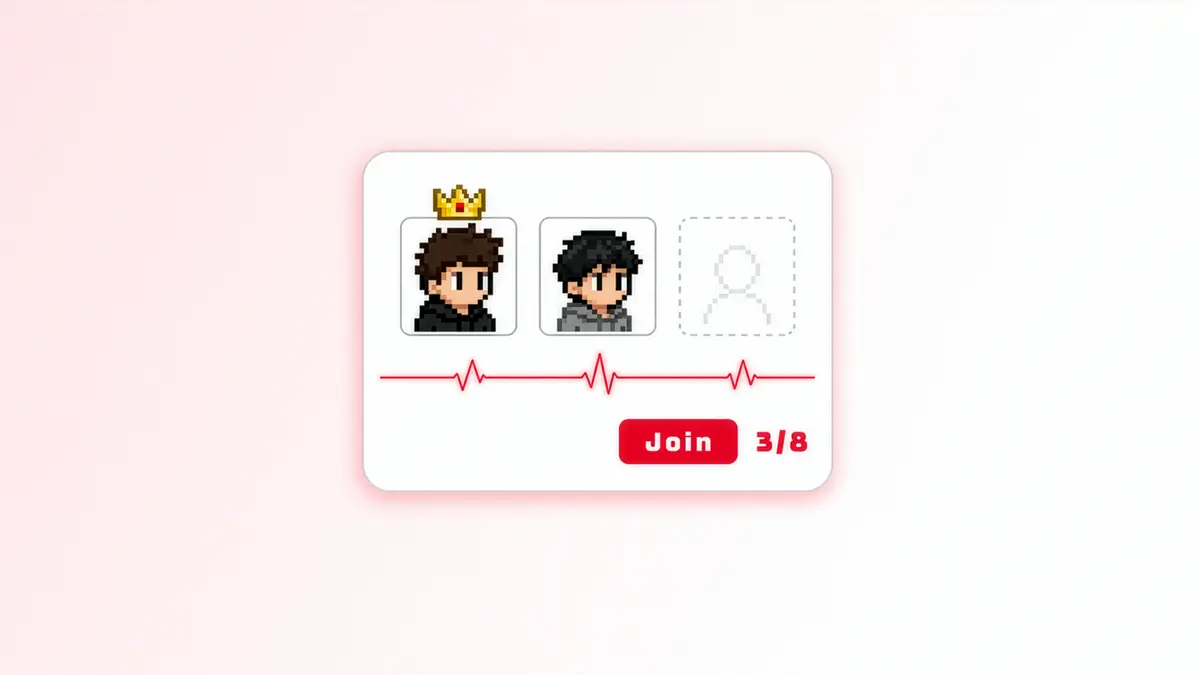
Some multiplayer experiences work best when players can create a space of their own. Instead of joining a server managed entirely by the game, players can host a server, invite friends, and decide how they want to play together. Games like Rust and Minecraft have shown how player-hosted worlds and community servers can become an important part of the experience.
Running a game server on a player's PC is only one part of that model, though. Other players still need a way to find and join the session. The game needs to know whether the host is reachable, what happens when the host goes offline, and when the session should end.
With persistent sessions in AccelByte Gaming Services (AGS) v2026.5.2 and a new open-source Extend app template, you can build this flow while keeping the actual game server on a player's machine. AGS manages the session, and your Extend app handles registration and availability of the player-hosted server.
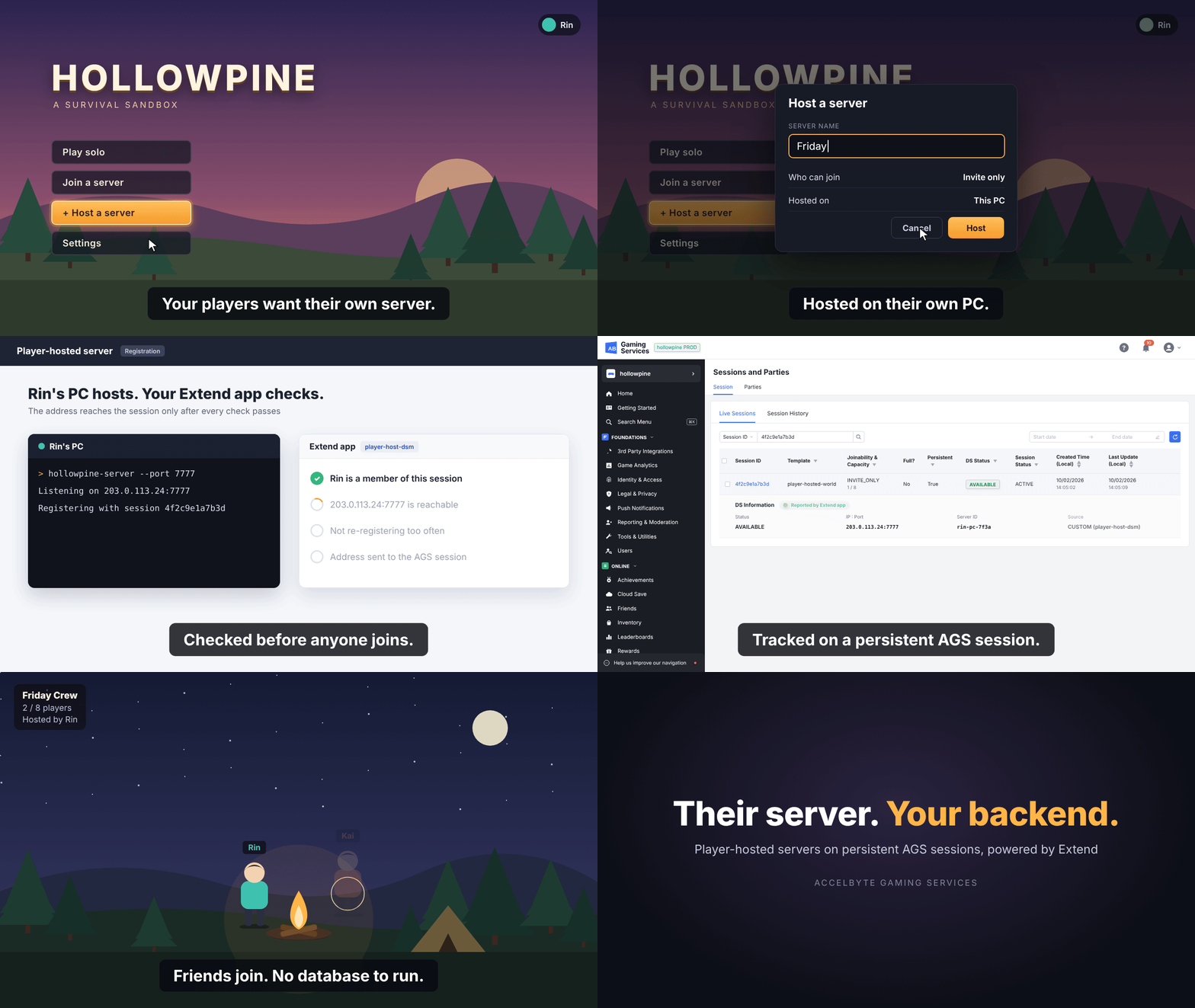
Connect Player-Hosted Servers to AGS
The Extend app template connects a player-hosted server to an AGS game session. The game server can run on a player's PC rather than a managed dedicated server fleet, while AGS keeps track of the session and its members.
A typical flow looks like this:
-
Create the session.
A player selects Host a Server, and the game creates an AGS game session using a persistent, custom-server session template. The server request runs asynchronously because the host address is not known yet. -
Start and register the server.
The player's PC starts the game server and sends its IP address, port, and server ID to the Extend app through the registration API. -
Check the host.
The Extend app checks that the caller is an active session member and probes whether the reported address is reachable. It then reports the address to AGS, allowing the session to become available for players to join. -
Let friends join.
Other players can join through the game's session or invitation flow, retrieve the connection details from AGS, and connect directly to the player-hosted server. -
Monitor the server.
The host sends periodic heartbeats to the Extend app. If the heartbeats stop, the app reports that the server is unavailable so AGS can request a server again.
The important distinction is that your game still owns the player experience and hosting rules. AGS handles the session, while the Extend app provides the integration between that session and a server you control.
Keep Sessions Available Across Matches
Persistent sessions remain available across matches and changes in server availability until your application decides to end them. They are useful when players want to return to the same group or community session instead of creating a new one each time they play.
While the server is running, it sends a heartbeat through the Extend app. If the heartbeat stops, the app can report a server error. With a persistent session, AGS keeps the session and can request a server again, rather than immediately removing the session and its members.
This creates a foundation for features such as host migration, where another player could take over hosting the same session. Host migration itself is not included in the template; your game would need to implement the host selection, server restart, and any state handoff.
Also, a persistent AGS session is not the same thing as a persistent game world. Saving world state, inventories, or match progress between server restarts is still something your game needs to handle.
Start with the Open-Source Extend App Template
The new template is an Extend Override app written in Go. It implements the custom server management integration and includes the core pieces needed for a player-hosted flow:
-
Registration and validation.
Receive a host registration request, check active session membership, and verify the reported server address. -
Session updates.
Report server availability and connection information to the AGS game session. -
Heartbeats and cleanup.
Detect when a host stops responding and apply your session end policies. -
End-to-end demo.
Run a setup utility, sample host, and sample joining client against an AGS environment.
For the session configuration, the key settings are dsSource=custom, persistent=true, and asyncProcessDSRequest.async=true. The app waits for the host to register before publishing its address to the session.
Once you have configured the app, its AGS credentials, and the session template, the repository includes three small commands for testing the end-to-end flow:
go run ./cmd/demo-setup # create/check session template
go run ./cmd/demo-ds # start host and print SESSION_ID
go run ./cmd/demo-client --session <SESSION_ID> # join from another client
For prerequisites, deployment steps, configuration options, and the full demo, see the player-hosted server template on GitHub.
Use Your Own Infrastructure
Player-hosted servers aren't limited to servers running on a player's PC. You can use the same Extend integration with VMs or bare-metal machines that your studio already operates.
For example, your application can select a machine from an existing server pool, start a game server, and register its address with the same AGS session. If that machine becomes unavailable, your infrastructure can provision a replacement and register it for the session.
This gives you a way to use AGS session management while deciding where your game servers run and how they are provisioned.
Important Considerations Before Shipping
There are a few things to account for when you move from a working demo to a production game:
-
Direct connectivity and IP visibility.
Players connect to the host, so the host's public IP address is visible to joining players. Depending on the network, players may need firewall rules or port forwarding to accept inbound connections. The template's reachability probe uses TCP; you may need to adapt the validation for your game's network protocol. -
Treat player machines as untrusted.
Keep registration and authorization checks enabled. The sample checks active session membership, but you can add stricter rules about who is allowed to host. Do not hand administrative credentials to a player-hosted server. -
Define the end policy.
Persistent sessions do not automatically expire through the normal session TTL. The template includes configurable cleanup policies for sessions without a live host or active players (10 minutes and 30 minutes by default). Set these to match your game. -
Plan for durable app state.
The sample template keeps its registry in memory. If the app restarts, it can lose track of sessions it was monitoring. Before relying on the lifecycle policies in production, use a single replica or move that state to shared persistent storage.
The template covers the integration, not every feature of a finished hosting system. You can extend it with your own host selection rules, networking approach, world-state persistence, and game-specific cleanup policies.
Try Player-Hosted Servers for Free with AGS
Use AGS persistent sessions and the open-source Extend template to manage player-hosted servers, session registration, and player connections without running a dedicated server fleet. You can build and test on AGS Public Cloud for free until you reach 30 concurrent users, and use the 90-day free trial of Extend to not only implement your own server registration and hosting logic, but also test before real players arrive.
You're almost signed up!
Verify your account by following the instructions sent to .
If you still haven't received an email, please check your spam folder.
Featured Blog Posts



Bring your first player online today.
Get started for free, and scale as your game grows.