


Understanding your cloud costs is an important part of managing a live game. Whether you're reviewing costs after a launch, monitoring usage during a live event, or preparing your monthly billing report, you need to know how your usage translates into charges.
Previously, the AccelByte Gaming Services (AGS) Usage page showed your overall costs, but provided limited details about how they were calculated.
We've updated the Usage page to give you a clearer view of your costs, usage trends, and free allowances, along with detailed breakdowns of how each charge is calculated.
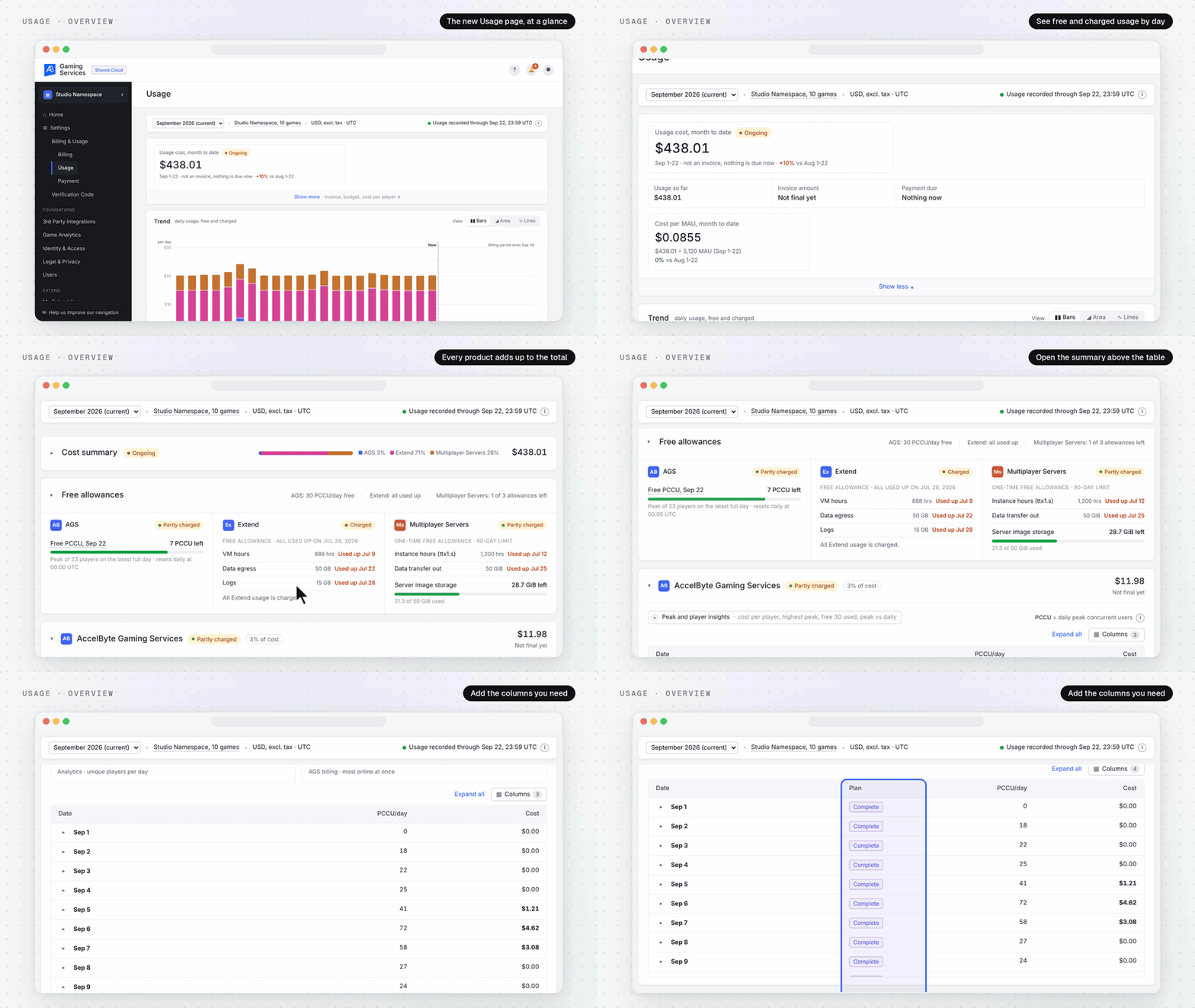
What's new in the Usage page
The updated Usage page includes several improvements to help you understand and review your AGS Public Cloud costs.
- Month-to-date cost summary: View your current usage costs, invoice amount, amount due, and cost per monthly active user (MAU).
- Daily usage trends: Track daily costs across AGS, Extend, and Multiplayer Servers, including the portions covered by free allowances.
- Free allowance tracking: See how much of your free allowance remains, when each part was used up, and when billable usage begins.
- Detailed cost breakdowns: Review the usage quantities and rates behind individual charges, including AGS PCCU pricing tiers.
- Peak and player insights: Understand your peak concurrent usage and how much of your daily free PCCU allowance you're using.
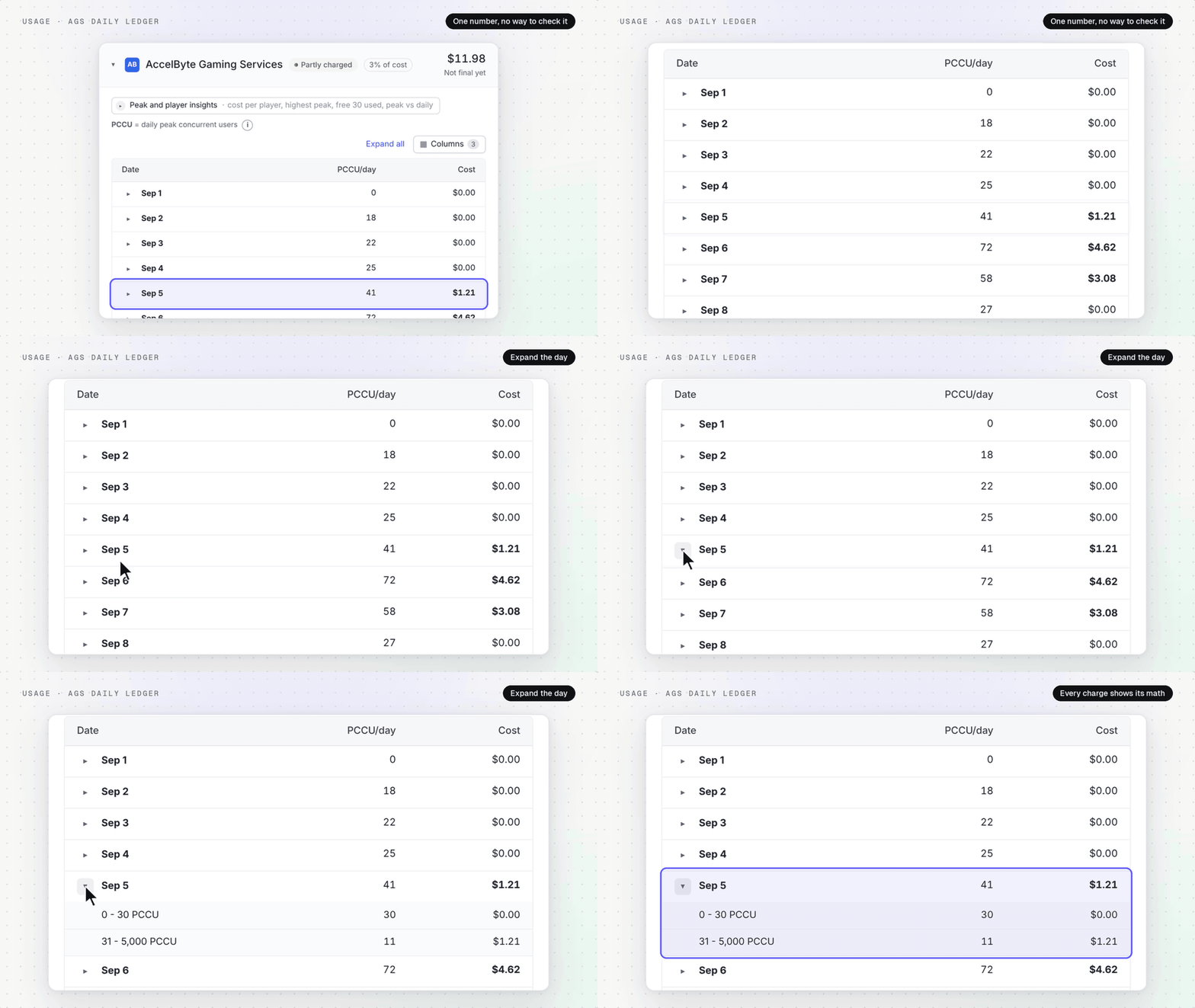
Understand how your costs are calculated
You can now expand individual charges to see the underlying usage and pricing details.
For AGS, the page breaks down your daily Peak Concurrent Users (PCCU) across pricing tiers, including the first 30 PCCU that are free each day and the applicable rates for additional usage.
For Extend and Multiplayer Servers, you can review usage and costs by region or fleet.
Each breakdown contributes to its corresponding product subtotal, and the cost summary combines product charges and credits into the overall total.
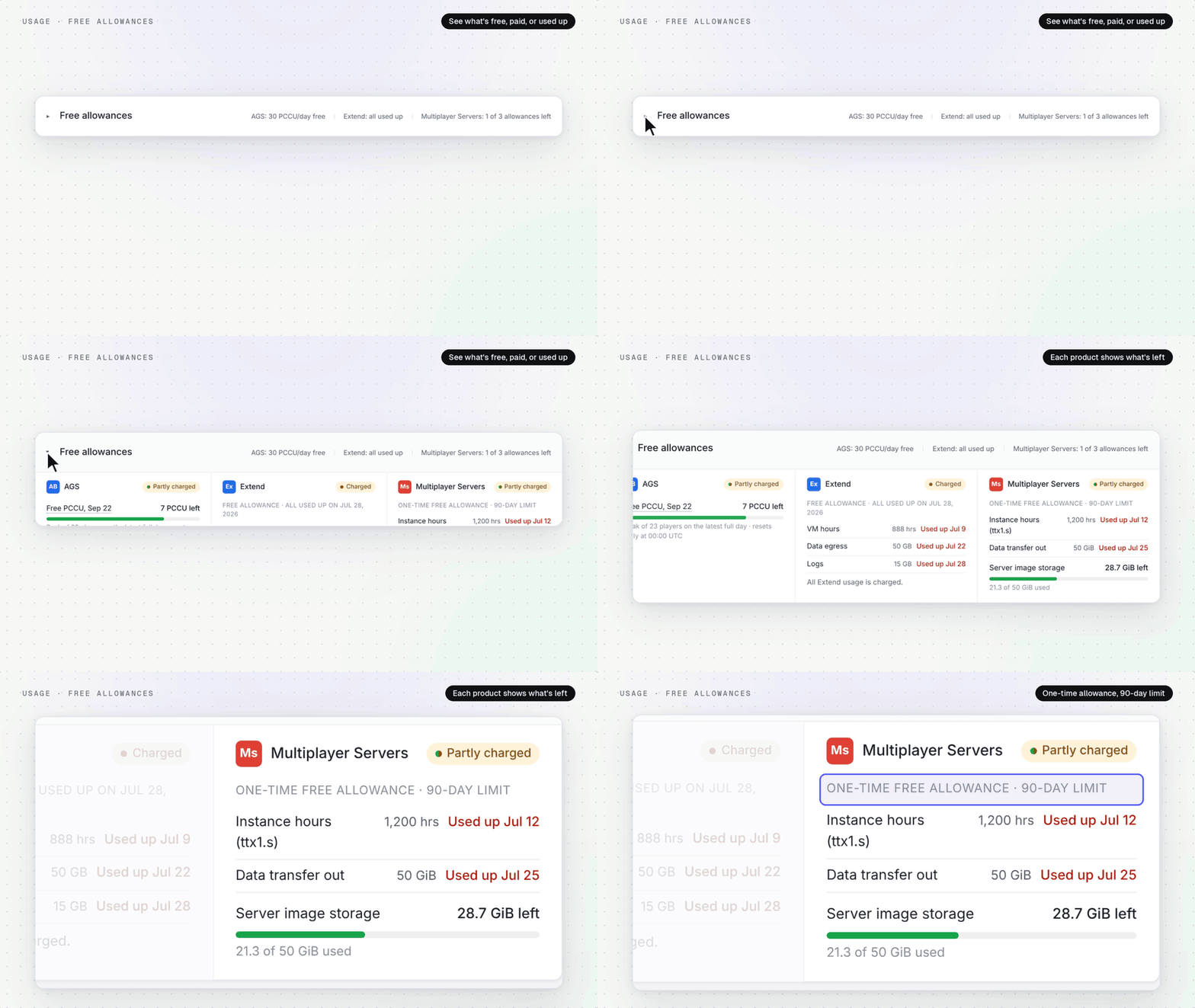
Track your usage & free allowances
The new Trend chart shows how your costs change over time across AGS, Extend, and Multiplayer Servers. You can hover over individual days to review costs by product, including free and billable usage.
We've also added dedicated free allowance cards for each product. These show your remaining allowance, when each part was used up, and whether you’ve started incurring charges.
 For additional context, the Peak and player insights section shows your highest usage peak and how much of the daily free 30 PCCU allowance you've used.
Important details to keep in mind
There are a few things to note when reviewing your usage:
- Month-to-date costs are marked Ongoing until the billing period closes. Costs update daily as usage is recorded, and the amount can still change until the invoice is issued.
- Free allowances vary by product. AGS includes 30 free PCCU each day. Extend and Multiplayer Servers have one-time free allowances that expire when consumed or after 90 days.
- Not all charges are included. The Usage page focuses on product usage costs and identifies exclusions such as taxes and support plans.
- Invoiced billing periods link to their invoice. Once the invoice is issued, the period is marked Invoiced and you can open the invoice from the page.
Try the updated Usage page
The improved Usage page is now available to all AGS Public Cloud customers. To access it, open the Admin Portal and navigate to Settings → Billing & Usage → Usage.
No additional configuration is required. You can start exploring your usage trends, free allowances, and cost breakdowns directly from the page.
Featured Blog Posts



Bring your first player online today.
Get started for free, and scale as your game grows.